
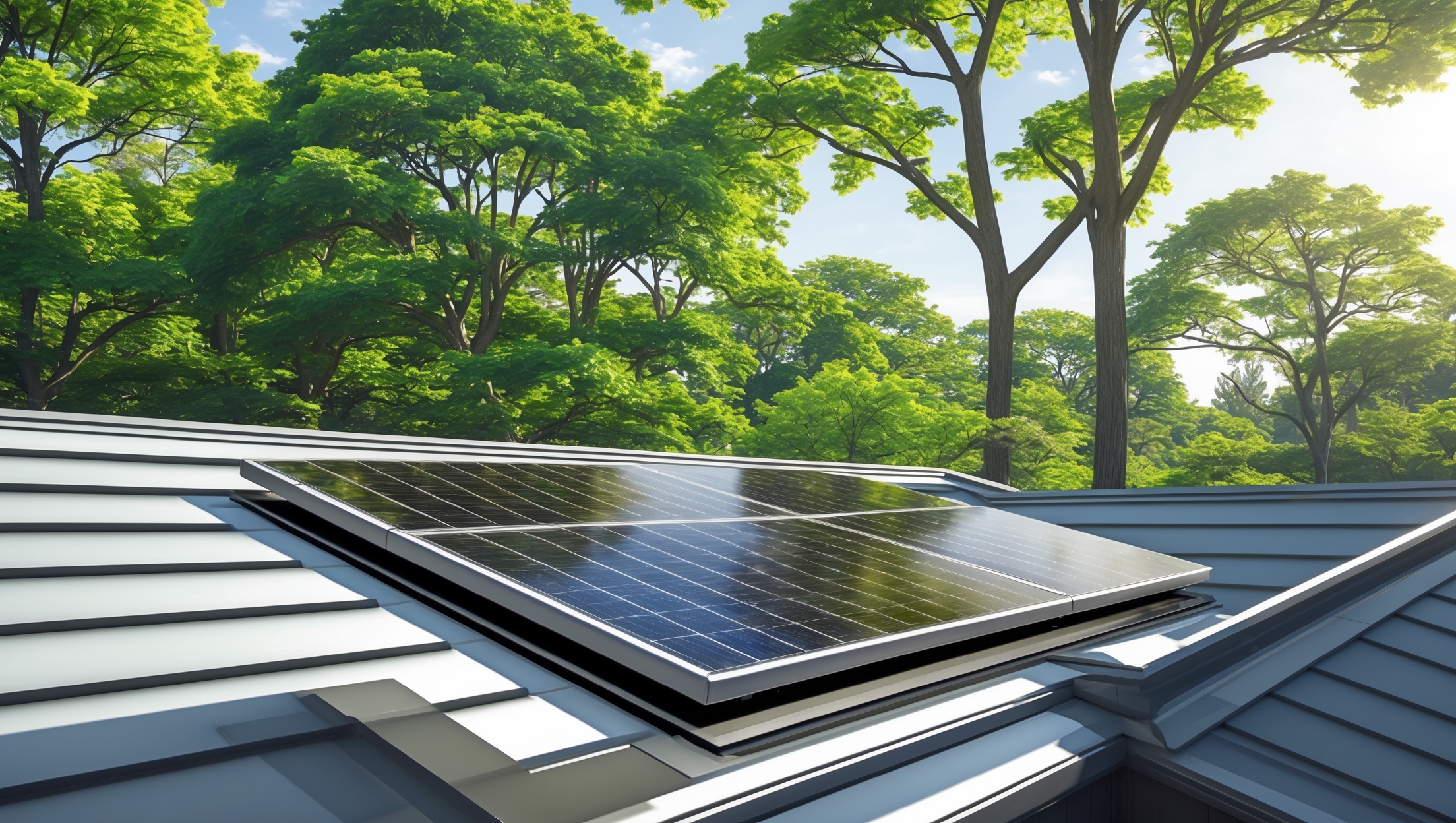
Introduction: Why Solar Attic Fan Maintenance Matters
Solar attic fans are among the most underrated green technologies for sustainable homes. By harnessing the sun’s energy, these fans reduce attic heat buildup, lower cooling costs, and extend your roof’s lifespan—all without increasing your electricity bill. But many homeowners install solar attic fans and then forget about them, assuming they require no attention. This is a costly mistake. Like all renewable energy systems, solar attic fans need regular maintenance to operate efficiently and last for years. Neglecting upkeep can lead to reduced airflow, panel inefficiency, preventable breakdowns, and even voided warranties.
This comprehensive guide will walk you through practical, proven maintenance best practices to keep your solar attic fan running smoothly year-round. Whether you’re a seasoned green tech enthusiast or new to sustainable living, you’ll find actionable advice on inspection schedules, cleaning techniques, troubleshooting, and optimizing your fan’s performance. Let’s ensure your investment delivers maximum energy savings—season after season.
Understanding Your Solar Attic Fan: Components and How They Work
Before diving into maintenance, it’s important to grasp the main components and operation of a solar attic fan. This knowledge will help you spot issues early and maintain each part correctly.
- Solar Panel: Captures sunlight and converts it into electricity to power the fan motor.
- Fan Assembly: Includes the motor, blades, and housing. Moves hot air out of the attic.
- Thermostat/Humidistat (optional): Automatically turns the fan on or off based on temperature or humidity.
- Roof Flashing and Mounts: Secure the fan to the roof and prevent water leaks.
- Wiring and Connectors: Transfer power from the solar panel to the fan motor.
Most solar attic fans are designed for minimal maintenance. However, environmental factors like dust, pollen, leaves, snow, and bird droppings can impact their efficiency. Understanding how each component interacts helps you maintain optimal airflow and energy capture.
Establishing a Maintenance Schedule
Consistency is key to preventing small issues from becoming costly repairs. Here’s a recommended maintenance timeline for solar attic fans:
- Monthly (Spring/Summer): Visual check for debris, obstructions, or damage.
- Quarterly: Clean solar panel surface and fan intake.
- Biannually (Spring and Fall): Full system inspection, tightening mounts, checking seals.
- After Major Storms: Immediate inspection for wind or hail damage, leaks, or electrical issues.
Tools and Safety Equipment You’ll Need
Proper tools make maintenance safer and more effective. Gather these before climbing onto your roof:
- Soft-bristle brush or microfiber cloth
- Non-abrasive glass cleaner or mild soapy water
- Phillips and flathead screwdrivers
- Adjustable wrench
- Caulk gun and roof sealant (solar/roofing safe)
- Ladder with stabilizer
- Safety harness and slip-resistant shoes
- Work gloves and eye protection
Never perform roof maintenance in wet, icy, or windy conditions. Always inform someone before you climb, and use fall protection if your roof is steep or high.
Step-by-Step Maintenance Checklist
1. Inspect the Solar Panel
- Visual Check: Look for cracks, discoloration, cloudiness, or loose frames. Damaged panels should be replaced promptly to prevent electrical hazards.
- Clean the Surface: Gently remove dust, pollen, bird droppings, or leaves using a soft brush or cloth. For stubborn grime, use a mild soapy solution and rinse with clean water. Avoid harsh chemicals or high-pressure sprays.
- Shading: Trim back any overhanging branches or vegetation casting shadows on the panel.
2. Check the Fan Assembly
- Blades: Inspect for dirt buildup, obstructions (like nests or insects), and damage. Clean gently with a damp cloth. Replace bent or cracked blades.
- Motor: Listen for unusual noises (grinding, squeaking) when the fan runs. Motor issues often signal worn bearings or debris. Some models allow light lubrication—consult your manual.
- Housing: Ensure the fan shroud is free from blockages and securely attached.
3. Examine Electrical Connections
- Wiring: Look for frayed wires, corrosion, or loose connections at the panel and motor terminals. Rodent damage is common. Tighten loose terminals and replace damaged wiring with outdoor-rated cable.
- Connectors: Clean any visible corrosion with electrical contact cleaner. Ensure all junctions are weather-sealed.
4. Test the Thermostat or Humidistat
- Set the thermostat/humidistat to trigger the fan and observe operation. If the fan doesn’t start under sunny conditions, check the sensor wiring and replace faulty units.
5. Inspect Roof Flashing and Mounts
- Mounting Brackets: Tighten any loose bolts or screws. Look for rust or corrosion on metal hardware.
- Flashing and Seals: Check for cracks, gaps, or dried-out caulk around the base. Reseal as needed with a compatible roofing sealant to prevent leaks.
6. Assess Weatherproofing After Extreme Events
- Post-storm, check for lifted flashing, cracked panels, or displaced mounts. Address any water intrusion immediately to avoid attic mold and structural damage.
Troubleshooting Common Performance Issues
Fan Not Spinning on Sunny Days
- Dirty Panel: Clean the solar panel surface; even light dust can reduce output by 10% or more.
- Panel Shading: Remove any new obstructions.
- Loose Wiring: Check all connections between the panel and motor.
- Blown Fuse or Faulty Controller: Replace as needed, per manufacturer guidelines.
Noisy or Vibrating Fan
- Loose Mounting: Tighten all fasteners.
- Worn Bearings: Some motors can be lubricated; otherwise, replace the motor.
- Obstructions: Remove leaves, nests, or debris from the fan housing.
Water Leaks Around Installation
- Seal Gaps: Inspect and reapply caulking to any cracks or open seams on flashing.
- Check Roof Shingles: Ensure shingles around the fan haven’t lifted or deteriorated.
Pro Tips for Maximizing Efficiency and Lifespan
- Angle Adjustment: Some solar attic fans allow you to tilt the panel. Adjust seasonally for optimal sun exposure (steeper in winter, flatter in summer).
- Monitor Attic Temperature: Use a digital thermometer to track the difference before and after fan operation. A well-maintained system can lower attic temps by 15-25°F (8-14°C) in peak summer.
- Integrate with Smart Home Systems: For fans with smart controllers, set up alerts for abnormal operation or temperature spikes.
- Keep Records: Log inspection dates, cleaning, and any repairs. This helps with warranty claims and troubleshooting future issues.
When to Call a Professional
While most maintenance can be handled by capable DIYers, certain situations require a licensed professional:
- Electrical shorts, sparking, or burnt smells
- Major roof leaks or water damage
- Panel or motor replacement on high or steep roofs
- Persistent operational failures after basic troubleshooting
Hiring a solar technician ensures safe, code-compliant repairs and protects your system’s warranty.
Seasonal Maintenance Tips
Spring
- Clear winter debris and check for ice damage.
- Inspect for critter nests or chewed wires.
- Test operation ahead of summer heat.
Summer
- Monitor performance during peak sun; clean panels monthly.
- Trim new growth from nearby trees or shrubs.
Autumn
- Remove fallen leaves from the panel and housing.
- Inspect roof seals before winter rains or snow.
Winter
- Brush off snow accumulation after storms (if safe to do so).
- Monitor for ice dams or leaks around flashing.
- Check attic humidity and ventilation.
Eco-Friendly Cleaning and Maintenance Practices
Choose biodegradable soaps, use minimal water, and collect runoff to avoid polluting your yard. Recycle any replaced parts (such as old panels or metal brackets) at local e-waste or scrap facilities. If you use pest deterrents, opt for non-toxic options like stainless steel mesh or ultrasonic repellents to protect wildlife.
Maintaining Warranty Coverage
Most solar attic fans come with 5- to 25-year warranties that require proof of regular maintenance. Save all receipts, service logs, and photos of your work. If you must make a warranty claim, manufacturers often ask for this documentation. Never modify wiring or use incompatible replacement parts, as this can void your warranty.
Conclusion: Protecting Your Investment and the Planet
Solar attic fans are a smart, sustainable investment for any home aiming to reduce energy usage and environmental impact. But like all green technologies, their benefits are maximized only with consistent care. By following the best practices outlined in this guide, you’ll ensure your fan delivers peak airflow, lower cooling bills, and a more comfortable attic environment—year after year. You’ll also extend equipment lifespan, avoid costly repairs, and keep your manufacturer’s warranty intact.
Remember, the small effort you invest in seasonal inspections and cleaning pays off in substantial long-term savings and a reduced carbon footprint. Solar attic fan maintenance isn’t just about protecting your home—it’s about supporting a future where renewable energy and sustainable living go hand-in-hand. So, grab your ladder, check your fan, and enjoy the peace of mind that comes from a truly efficient, resilient green home.
Have questions or need help troubleshooting a unique issue? Reach out to your fan’s manufacturer or a local solar professional for tailored support. Your roof (and the planet) will thank you.


How often should I check the solar panel for things like dust, pollen, or bird droppings? Is there a recommended inspection schedule for different seasons, especially if I live somewhere with a lot of trees?
For homes near lots of trees or in areas with frequent pollen and dust, it’s a good idea to check your solar attic fan panel at least once every one to two months. During spring and fall, when debris and pollen are more common, monthly inspections are especially helpful. If you notice buildup, a gentle cleaning with water and a soft cloth will keep it operating efficiently all year.
If my solar attic fan seems to be running less often, could that be related to issues with the thermostat or humidistat, or is it more likely something with the panel or wiring? How should I begin troubleshooting?
If your solar attic fan is running less often, both the thermostat/humidistat and the solar panel or wiring could be factors. Start by checking if the fan activates when attic temperatures rise. If not, inspect the thermostat and humidistat for proper operation. Next, make sure the solar panel is clean and not shaded, and check wiring connections for any loose or corroded spots. Addressing these areas should help you identify where the issue lies.
Are there any budget-friendly tips for maintaining the roof flashing and mounts to prevent leaks around the solar attic fan? I’m concerned about water damage but don’t want to spend a lot on repairs.
You can maintain your solar attic fan’s roof flashing and mounts on a budget by regularly inspecting for cracks, rust, or loose screws and tightening or resealing as needed. Use a high-quality roofing sealant or caulk to patch small gaps yourself. Cleaning away debris also helps prevent moisture buildup. These simple steps can help prevent leaks and costly water damage without hiring a professional.
You mention that neglecting upkeep on solar attic fans can void warranties. What kind of maintenance documentation do manufacturers typically require to keep the warranty valid, and how often should I record my inspections and cleanings?
Manufacturers usually expect you to keep a log of all maintenance activities, including dates of inspections, cleaning, and any repairs. It’s a good idea to record these details at least twice a year, or as often as the manufacturer recommends in the warranty terms. Saving receipts or photos of maintenance can also help if you ever need to make a warranty claim.
How do maintenance needs change between summer and winter, especially in regions that experience heavy snow or lots of pollen? I’m trying to figure out the best times of year to schedule more thorough inspections.
In regions with heavy snow, winter inspections should focus on clearing snow and ice from the fan and ensuring vents aren’t blocked. In spring or during high pollen seasons, clean screens and blades more frequently to prevent buildup. The best times for thorough inspections are early spring, before pollen peaks, and late fall, after leaves fall but before snow arrives, to keep the fan running efficiently year-round.
You mentioned that neglecting maintenance can void warranties on solar attic fans. Could you clarify what specific kinds of neglect or skipped steps might put the warranty at risk? I want to make sure I don’t accidentally do something that could affect my coverage.
Absolutely, keeping your warranty valid usually means following the manufacturer’s recommended maintenance. Common issues that could void coverage include not cleaning debris from the fan or solar panel, ignoring regular checks for loose wiring or parts, or failing to address water leaks promptly. Skipping annual inspections or using unapproved cleaners and tools can also be problematic. Always keep records of your maintenance to show you’ve followed the guidelines.
What’s the best approach for cleaning leaves and bird droppings off the solar panel if I’m working with a limited budget and trying to avoid professional services?
You can clean the solar panel yourself using just water, a soft sponge or cloth, and a gentle soap if needed. Avoid harsh chemicals or abrasive scrubbers. First, gently remove loose debris like leaves by hand or with a soft brush. Then, wipe away bird droppings with the damp sponge. Rinse with clean water and let it air dry. Make sure to clean early in the morning or late afternoon to avoid hot surfaces.
Does regular maintenance of the roof flashing and mounts require any specialized tools or knowledge, or is it something most homeowners can handle themselves without risking roof leaks?
Most homeowners can handle basic maintenance of roof flashing and mounts themselves without specialized tools. You’ll typically need a ladder, screwdriver, and perhaps some roofing sealant. Inspect for loose screws, cracks, or gaps and tighten or reseal as needed. However, if you notice significant damage or feel uneasy working on the roof, it’s wise to call a professional to avoid risking leaks or personal safety.
You mentioned that neglecting solar attic fan maintenance can void warranties. Could you elaborate on which specific maintenance steps are usually required by manufacturers to keep the warranty valid?
Manufacturers typically require you to perform routine checks to keep your solar attic fan warranty valid. This usually includes cleaning the fan blades and solar panel, inspecting for debris or blockages, checking that all mounting hardware is secure, and verifying electrical connections. Some companies may also require you to document maintenance or have it performed by a qualified technician. Always review your specific warranty terms for any unique requirements.
I’m new to this and a little unsure about the wiring and connectors section. Are there any basic signs I should look for to spot wiring issues, or is it best to leave that part to a professional every time?
It’s understandable to feel unsure about wiring if you’re new to solar attic fans. Basic signs of wiring issues include frayed or exposed wires, loose connections, discoloration, or any signs of burning or melting at connectors. If you notice any of these, or if you’re not confident, it’s safest to call a professional. Handling electrical components can be tricky and potentially dangerous without experience.
The article mentions that neglecting solar attic fan maintenance could void warranties. Could you clarify which maintenance tasks are typically required by manufacturers to keep warranties valid?
Manufacturers usually require basic tasks like cleaning the fan blades and solar panel regularly to remove dust and debris, checking for any loose or damaged parts, and ensuring electrical connections remain secure. Some may also ask for periodic inspections to confirm the fan operates correctly. Keeping records of your maintenance activities can help if you need to make a warranty claim later on.
I noticed the article mentions thermostats and humidistats as optional components. Have you found that adding a humidistat significantly helps in humid climates, or is it just an extra feature that adds more complexity and potential maintenance?
In humid climates, adding a humidistat to your solar attic fan can be genuinely beneficial, not just an extra feature. It helps the fan engage when humidity rises, which can prevent mold and moisture buildup in your attic. While it does introduce another component to monitor, most users find the benefit outweighs the small increase in complexity and occasional maintenance checks.
When talking about cleaning the solar panel, do you have any tips for safely removing bird droppings or sap without damaging the surface? I get a lot of both in my area and worry about scratching the panel.
To safely clean bird droppings or sap off your solar panel, use a soft sponge or microfiber cloth with lukewarm water and mild, non-abrasive soap. Gently soak the area first to soften any residue, making it easier to wipe away without scrubbing. Avoid using abrasive pads or harsh chemicals, as these can scratch or damage the surface. If residue persists, you can try a gentle glass cleaner, but always rinse thoroughly with clean water afterward.
Could neglecting the roof flashing and mounts during maintenance actually lead to water leaks inside my home? If so, what signs should I look for to catch issues early?
Yes, neglecting roof flashing and mounts can definitely result in water leaks inside your home. Over time, damaged or loose flashing and mounts create gaps where rainwater can seep in. Early signs to watch for include water stains on your ceiling, dampness or discoloration near the attic, mold growth, or visible rust and gaps around the fan’s base on the roof. Regularly checking these areas will help you catch issues before they cause real damage.
Could you expand on troubleshooting? For example, if my solar attic fan seems to be running less often even on sunny days, what specific components should I inspect first?
If your solar attic fan is running less often on sunny days, start by checking the solar panel for dust, debris, or shading that could reduce power output. Inspect the wiring connections for corrosion or looseness, and ensure the fan blades spin freely without obstruction. Also, check the thermostat (if equipped) to verify it’s set correctly and functioning. These steps usually address the most common issues affecting fan performance.
For homeowners on a tight budget, what would you consider the most critical maintenance tasks to prioritize annually to avoid preventable breakdowns with solar attic fans?
If you’re on a budget, focus first on keeping the fan’s solar panel clean and free of debris, as dust or leaves can reduce power and efficiency. Also, check that the fan blades spin freely and clear away any dirt or obstructions. Inspect the mounting and wiring once a year for signs of damage or loose connections. These simple checks will prevent most common issues without extra expense.
When inspecting the roof flashing and mounts, what are the most common signs of issues that could lead to leaks? I want to avoid any water damage in my attic but I’m not sure exactly what to look for.
When checking the roof flashing and mounts around your solar attic fan, watch for cracked or deteriorating sealant, rust or corrosion on the metal parts, and any visible gaps between the flashing and the roof surface. Also, look for loose screws or fasteners, and check for any lifted or warped shingles nearby. Addressing these issues promptly helps prevent water from seeping into your attic.
I’d like to optimize my fan’s performance, especially during the summer when my attic gets really hot. Are there specific signs I should watch for that indicate the fan isn’t ventilating as efficiently as it should?
Absolutely, there are a few signs to look out for. If your attic feels unusually warm or stuffy despite the fan running, or if you notice an increase in cooling costs, your fan may not be ventilating efficiently. Also, listen for unusual noises or vibrations coming from the unit, which can indicate mechanical issues. Dust or debris buildup on the fan blades and vents can also reduce airflow, so regular inspection and cleaning are important.
How often should I be checking the solar panel for dust and debris, especially during pollen season? Are there recommended tools or products that are safe to use when cleaning the panel and fan housing?
During pollen season or in dusty areas, it’s best to check your solar panel every 2 to 4 weeks. For cleaning, use a soft cloth or sponge with mild soapy water—avoid abrasive pads or harsh chemicals, as they can scratch the panel. For the fan housing, a damp cloth or gentle brush works well. Just make sure everything is dry and powered off before cleaning.
You mentioned warranties could be voided by neglecting maintenance. Are there specific maintenance steps that manufacturers typically require to keep the warranty valid on a solar attic fan?
Manufacturers usually require some specific maintenance steps to keep a solar attic fan’s warranty valid. These often include cleaning the solar panel regularly to prevent dust buildup, checking and clearing the fan blades of debris, inspecting the wiring for damage, and making sure mounting hardware is secure. It’s also a good idea to document your maintenance activities, as some manufacturers request proof if a warranty claim is made.
Do solar attic fans with thermostats or humidistats require different maintenance steps compared to those without these features? I’m trying to figure out if I need to do anything extra.
Solar attic fans with thermostats or humidistats generally need the same basic maintenance as standard models, such as cleaning and checking for debris. However, it’s a good idea to periodically test the thermostat or humidistat to make sure it triggers the fan correctly. Also, inspect the sensor connections for any corrosion or loose wires. Other than these checks, no major extra maintenance is needed.
I’m curious about the inspection schedule you recommend for solar attic fans, especially in areas with heavy pollen or seasonal storms. Should homeowners check and clean their fans more frequently in those conditions?
In areas with heavy pollen or frequent storms, it’s wise to inspect and clean your solar attic fan every 2 to 3 months, rather than just seasonally. This helps prevent buildup of debris or pollen that can block airflow or reduce efficiency. After any major storm, a quick check for damage or obstructions is also recommended to keep your system running optimally.
I’m trying to keep my costs down. Are there any simple DIY maintenance steps from your guide that I can do myself without special tools, or would you recommend hiring a pro for most of the tasks?
You can definitely handle some basic maintenance tasks for your solar attic fan without special tools. Cleaning dust and debris off the fan and solar panel is easy and makes a big difference. Also, visually check for loose wires or mounting brackets. These steps are safe and simple for most homeowners. Only call a professional if you notice electrical issues or need repairs.
If my solar attic fan isn’t running as efficiently as before, what’s the first thing I should troubleshoot? Is it usually the panel being dirty, or could it be a problem with the motor or the mounts?
The first thing to check is whether the solar panel is dirty or obstructed, since dust, leaves, or debris can quickly reduce its efficiency. Clean the panel gently with water and a soft cloth. If the panel is clean and the fan still isn’t working well, then inspect the motor for signs of wear and check that the mounts are secure and the fan is positioned correctly.
Our area gets a lot of pollen in the spring. How effective is just rinsing the solar panel with a hose for clearing debris, or should I budget for professional cleanings each year?
Rinsing the solar panel with a hose is usually effective for clearing light debris like pollen, especially if you do it regularly in the spring. Just be sure to use gentle water pressure to avoid damage. However, if you notice stubborn buildup or your panel is hard to reach, a professional cleaning once a year can help maintain peak efficiency.
When it comes to cleaning the solar panel part of the attic fan, do certain materials or cleaning solutions work better to remove stubborn debris like bird droppings without damaging the panel?
For cleaning the solar panel, it’s best to use a soft cloth or sponge with mild soapy water. Avoid harsh chemicals, abrasive pads, or high-pressure sprays, as these can scratch or damage the surface. For stubborn debris like bird droppings, soak the spot with soapy water for a few minutes before gently wiping it away. Rinse with clean water and dry with a soft cloth to prevent streaks.
When it comes to cleaning the solar panel on the attic fan, do you have any tips on what products or tools are safest to use? I’m worried about scratching the surface or damaging the components while getting rid of pollen and bird droppings.
To clean the solar panel safely, use a soft microfiber cloth or a non-abrasive sponge with lukewarm water. If you need extra cleaning power, a tiny drop of mild dish soap is fine. Avoid harsh cleaners, abrasive pads, or high-pressure sprays, as these could scratch the panel or damage seals. Gently wipe away debris and rinse off any soap residue with clean water.
For someone new to solar attic fans, how often should inspection and cleaning be done throughout the year to prevent issues, especially in areas with a lot of seasonal debris like pollen or leaves?
For homes in areas with lots of pollen or leaves, it’s best to inspect and clean your solar attic fan every three to four months. Regular checks help prevent debris buildup, which can block airflow or damage the fan. Make sure to remove any debris from the fan and surrounding vents, and check that the solar panel surface stays clean for optimal performance.
For someone on a tight budget, are there basic maintenance steps that would offer the highest return on investment in terms of boosting fan efficiency and longevity without needing specialized tools?
Absolutely, you can improve your solar attic fan’s efficiency with a few simple, low-cost steps. Regularly clean the fan blades and housing to remove dust and debris, check for loose mounting hardware, and make sure the solar panel stays free of dirt and shading. These tasks just require a soft cloth and screwdriver, and they help keep your fan running smoothly without any special tools or major expenses.
What sort of inspection schedule would you recommend for solar attic fans installed in areas with heavy snowfall? I’m worried about snow buildup affecting the fan’s performance or the roof flashing.
For areas with heavy snowfall, it’s wise to inspect your solar attic fan at the start and end of winter, and after any major snowstorm. Check for snow or ice buildup around the fan and its solar panel, and ensure the roof flashing remains tightly sealed. Clearing snow promptly helps maintain airflow and prevents leaks or moisture damage around the installation.
You note that neglecting solar attic fan maintenance could void warranties. Could you clarify what types of maintenance tasks are typically required by manufacturers to keep the warranty valid?
Manufacturers usually require you to perform basic maintenance tasks to keep your solar attic fan warranty valid. This includes regularly cleaning the solar panel to ensure it’s free of dust and debris, checking that the fan blades spin freely, inspecting electrical connections for signs of wear or corrosion, and making sure mounting hardware remains secure. Always review your product’s manual for any specific instructions, as requirements can vary between brands.
You mentioned that neglecting maintenance could void warranties. Could you clarify what kind of maintenance records or proof manufacturers typically require to honor a warranty for a solar attic fan?
Manufacturers usually want evidence that regular maintenance has been performed, such as dated receipts for professional servicing or a personal log noting inspection dates, cleaning tasks, and any repairs. Photos showing the condition of the fan during maintenance and copies of any service invoices are also helpful. Keeping these organized will support any warranty claim if issues arise.
For homeowners on a budget, are there certain maintenance tasks on solar attic fans that can easily be done DIY without risking damage or safety, and which ones are best left to professionals?
Homeowners on a budget can safely handle basic maintenance tasks like cleaning debris from the fan and solar panel, checking for loose screws, and inspecting for any obvious signs of wear. These steps help keep the fan efficient without special tools or expertise. However, anything involving electrical wiring, motor repairs, or accessing steep or high roofs is best left to professionals to avoid safety risks and potential damage.
With a busy family schedule, I’m looking for practical tips: Is there a quick visual check I can do monthly to catch potential problems early without climbing up to the roof every time?
You don’t need to climb onto the roof each month. From the ground, you can look up and check that the solar panel is clean and not blocked by debris like leaves or branches. Listen for unusual noises from the fan during operation, which can signal a problem. Also, monitor attic temperatures if possible—unexpected heat could indicate reduced performance.
If a homeowner skips a couple of maintenance cycles, what kind of performance loss or risks might they see? Would this even void the warranty on the fan?
Missing a couple of maintenance cycles can lead to dust buildup, blocked vents, or worn-out components, which may reduce airflow and overall efficiency. Over time, this can put extra strain on the fan and shorten its lifespan. Many manufacturers require regular maintenance for their warranties to remain valid, so skipping scheduled care could potentially void the warranty. It’s always a good idea to check your manufacturer’s guidelines to be sure.
My solar attic fan came with a thermostat and humidistat—if the fan seems to be turning on at odd times, what troubleshooting steps would you suggest before calling a technician? Are there common issues with these sensors that I should check first?
If your fan is running at unexpected times, start by checking the thermostat and humidistat settings to make sure they’re correctly set for your desired temperature and humidity levels. Also, inspect the sensors for dust or debris, as buildup can affect accuracy. Make sure connections and wiring are secure. Sometimes, direct sunlight or attic heat sources near the sensors can cause them to trigger early. If these steps don’t resolve the problem, it may be time to contact a technician.
Could you clarify what cleaning techniques work best for removing pollen and bird droppings from the solar panel without scratching it or lowering its efficiency?
To safely clean pollen and bird droppings from your solar panel, use a soft microfiber cloth or a non-abrasive sponge with lukewarm water. Avoid harsh chemicals and rough scrubbers, as these can scratch the surface. For stubborn spots, let warm water sit on them for a few minutes before gently wiping. Clean in the early morning or late afternoon to prevent water spots from forming due to quick evaporation.
If my solar attic fan includes a thermostat or humidistat, is there a way to test whether those parts are still functioning correctly, or should this be left to a professional during inspections?
You can do a basic test at home if your solar attic fan has a thermostat or humidistat. For thermostats, use a hairdryer to gently warm the sensor and see if the fan activates. For humidistats, use a damp cloth or increase humidity nearby and watch for a response. If you’re unsure or the parts don’t seem to work, it’s best to let a professional check during your regular inspection to ensure safety and accuracy.
You talk about maintaining the wiring and connectors. What are some common signs of wear or damage I should watch out for during inspections, and how urgent is it to address any minor issues I might find in those areas?
When inspecting the wiring and connectors on your solar attic fan, look for frayed wires, cracked or brittle insulation, loose connections, corrosion, or any discoloration around the terminals. Even minor issues, like a slightly loose connector or small corrosion spots, should be addressed promptly to prevent bigger problems like system failure or fire risks. Regularly tightening connections and cleaning corrosion can help keep your fan running safely and efficiently.
If my solar attic fan starts making more noise than usual, should I assume it’s a motor problem, or could it just be an issue with debris in the fan assembly?
Both scenarios are possible—excessive noise from your solar attic fan can be caused by debris caught in the fan blades or housing, or it could be a sign of motor wear or bearing issues. Start by turning off the fan and carefully inspecting it for leaves, twigs, or dust buildup. If clearing debris doesn’t fix the noise, the problem may be with the motor, and a professional inspection is a good idea.
I noticed you mentioned that neglecting maintenance might void the warranty on a solar attic fan. What specific maintenance actions do manufacturers usually require to keep the warranty valid?
Manufacturers typically require regular basic maintenance to keep your solar attic fan warranty valid. This usually includes cleaning dust and debris from the solar panel, checking and clearing the fan blades and vents, and inspecting electrical connections for corrosion or damage. Some manufacturers also ask for periodic checks by a professional or keeping a maintenance log. Be sure to review your specific warranty documentation for any unique requirements.
Can you offer any advice on budgeting for professional maintenance? Are there certain tasks, like checking wiring or fixing the roof mount, that are safer or more cost-effective to leave to the pros rather than trying to DIY?
When budgeting for professional maintenance, consider scheduling a yearly check-up, which usually costs less than emergency repairs. Tasks involving electrical wiring or securing the roof mount are best left to licensed professionals for safety and warranty reasons. Homeowners can handle basic cleaning and debris removal, but anything requiring tools or working at heights is safer and often more cost-effective to have done by an expert.
Could you explain a bit more about what kind of routine inspection schedule you recommend for busy homeowners? I’d like to keep it simple but make sure my fan isn’t suffering from dust or debris buildup throughout the year.
For busy homeowners, a simple inspection twice a year—once in spring and again in fall—should be enough. During each check, look for dust, leaves, or bird nests around the fan, and gently clear away any debris. Also, make sure the solar panel isn’t shaded or dirty. This routine helps maintain airflow and keeps your fan working efficiently.
If my solar attic fan includes a thermostat or humidistat, what extra maintenance steps should I add to my regular routine? Are there ways to test if those sensors are still working accurately year-round?
With a thermostat or humidistat, you should check the sensors for dust or debris at least twice a year and gently clean them if needed. To test the thermostat, use a hair dryer or heat gun near the sensor to see if the fan activates. For a humidistat, create a humid environment (like using a damp cloth nearby) and watch for fan response. If you notice inconsistent operation, consider using a household thermometer or hygrometer for comparison, or consult the manufacturer for calibration guidelines.
The article talks about troubleshooting, but if the fan suddenly stops working, what’s the first thing I should check—the wiring, the solar panel, or the fan motor itself?
If your solar attic fan suddenly stops working, the first thing to check is the solar panel. Make sure it’s clean and receiving direct sunlight, as dirt or shade can stop power generation. If the panel looks fine, then inspect the wiring connections for loose or damaged wires before checking the fan motor itself for blockages or signs of wear.
You mentioned that neglecting solar attic fan maintenance could void warranties. What types of maintenance do most warranties require, and how can I be sure I’m not accidentally skipping something critical?
Most warranties for solar attic fans require you to keep the fan clean, check for debris or blockages, and ensure all electrical connections remain secure. You’ll also usually need to inspect for physical damage or leaks around the unit. To make sure you’re not overlooking anything, review your warranty’s specific terms and keep a maintenance log with dates and actions taken. If in doubt, contact the manufacturer for a recommended checklist.
The article mentions that neglecting maintenance could void warranties. Do most manufacturers require specific documentation or records of regular maintenance to keep the warranty valid for solar attic fans?
Most manufacturers do expect some proof that regular maintenance has been performed if you need to make a warranty claim for your solar attic fan. This usually means keeping a simple log of maintenance dates and what was checked or cleaned. It’s a good idea to save any receipts or records if you hire someone for maintenance, or note down your own inspections and cleaning activities just in case.
I noticed the article discusses thermostats and humidistats as optional components. If my solar attic fan doesn’t have these features, should I consider adding them for performance reasons, or are they only necessary in specific climates?
Thermostats and humidistats help your solar attic fan operate only when needed by responding to temperature and humidity levels. While they’re especially useful in regions with extreme temperatures or high humidity, they can improve efficiency in most climates by preventing unnecessary fan operation. Adding them is a good idea if you want more control and energy savings, but they’re not strictly required for basic fan function.
You mentioned that some solar attic fans have thermostats or humidistats. How do I know if my existing fan includes one, and are there maintenance steps that are specific to fans with this feature compared to standard models?
To find out if your solar attic fan has a thermostat or humidistat, check the product manual or look for a control box or adjustment dial near the fan. You might also notice wiring connected to small sensor units. For fans with these features, ensure the sensors are dust-free and that connections are secure during regular cleaning. Avoid spraying water directly on the sensors or control units when cleaning the fan.
For those on a tight budget, which maintenance practices would you say are absolutely essential to prevent major breakdowns or inefficiency in a basic solar attic fan system?
If you’re looking to save money, focus on the essentials: clean the fan blades and solar panel regularly to prevent dust buildup, check that the mounting hardware is tight and rust-free, and inspect electrical connections for corrosion or loose wires. Doing these simple checks a few times a year can go a long way in avoiding costly repairs and keeping your solar attic fan working efficiently.
Are there any DIY troubleshooting tips if my solar attic fan suddenly stops operating, or should I always contact a professional right away to avoid potentially voiding the warranty?
You can do a few basic checks before calling a professional. Start by inspecting if the solar panel is clean and free from debris, and make sure there’s no shade blocking sunlight. Also, check the wiring connections for any obvious loose or disconnected wires. If these steps don’t fix the issue, check your warranty terms—some allow simple DIY troubleshooting, but major repairs or opening the motor housing might void coverage. When in doubt, it’s safer to consult a professional.
I’m curious about how often you actually need to check the wiring and connectors for issues. Have you noticed more problems after big storms or is it something you just do every season regardless?
It’s wise to inspect the wiring and connectors of your solar attic fan at least once a season, even if everything seems fine. However, after big storms, it’s definitely a good idea to check again, since strong winds and debris can sometimes cause loose connections or damage. Regular seasonal checks can catch small issues early, but storm follow-ups help ensure nothing was overlooked.
You mention the risk of voiding warranties if maintenance is neglected. Are there particular maintenance tasks that manufacturers typically require to keep the warranty valid?
Manufacturers usually expect homeowners to keep the solar panel surfaces clean, inspect for debris or obstructions around the fan, and check for any loose wiring or mounting hardware. It’s also common to require that any repairs or part replacements be done by a qualified technician. Regular checks, typically once or twice a year, and keeping records of your maintenance can help ensure your warranty remains valid.
You mentioned that neglecting solar attic fan maintenance could void the warranty. Are there specific maintenance tasks that manufacturers typically require to keep the warranty valid, or does it vary depending on the brand?
Most manufacturers outline basic maintenance tasks that need to be followed to keep your solar attic fan warranty valid. These usually include clearing debris from the fan and solar panel, checking for loose wires, and ensuring all mounting hardware is secure. However, the exact requirements can vary by brand, so it’s important to check your fan’s warranty documentation for any brand-specific instructions or intervals.
You mention that neglecting upkeep could void warranties. What kinds of maintenance records or proofs do manufacturers usually require if I need to make a warranty claim later?
Manufacturers typically ask for records showing regular cleaning, inspection, and any professional servicing of your solar attic fan. This can include maintenance logs, dated receipts for service or repairs, and photos documenting the condition of the unit over time. Keeping a folder with these documents will help support your warranty claim if any issues arise.
Could you share advice on troubleshooting reduced airflow from the fan? For example, how would I tell if the issue is with the motor, wiring, or something blocking the blades?
To troubleshoot reduced airflow, start by turning off the fan and visually checking for debris or dust buildup on or around the blades, as blockages are common. Next, listen for unusual noises when the fan runs, which could indicate a motor issue. If the fan isn’t running at all, check the wiring connections and make sure the solar panel is clean and exposed to sunlight. Loose wires or faulty connections can also lead to poor airflow. If all seems clear but airflow is still low, the motor may need professional inspection.
I’m curious about cleaning techniques for the solar panel itself. Do you suggest just water and a cloth, or are there certain products or tools that work best for removing pollen and bird droppings without damaging the panel?
For cleaning the solar panel, using plain water and a soft, non-abrasive cloth is usually sufficient for removing dust and pollen. For more stubborn spots like bird droppings, you can use a mild dish soap diluted in water. Avoid harsh chemicals or abrasive scrubbers, as they can damage the glass surface or the panel’s protective coating. A soft sponge or microfiber cloth works well for gentle cleaning.
You mentioned that neglecting maintenance on solar attic fans can void warranties—could you clarify which specific upkeep tasks manufacturers typically require to keep the warranty valid?
Manufacturers usually require some basic upkeep to keep your solar attic fan warranty valid. These tasks often include cleaning the fan blades and solar panel regularly to prevent dust buildup, checking for debris or bird nests around the unit, making sure the fan is securely mounted, and inspecting electrical connections for corrosion or wear. It’s always best to review your specific warranty terms, as some brands may have additional requirements.
I saw you mentioned that neglecting maintenance might void the warranty. What specific maintenance tasks should I document to keep my warranty valid, and are there certain things manufacturers typically look for?
To keep your warranty valid, it’s important to document regular cleaning of the fan and vents, checking for debris, inspecting electrical connections, and making sure the fan blades spin freely. Manufacturers often look for proof that you’ve removed dust and leaves, and that there hasn’t been water damage or pest intrusion due to neglect. Save receipts or notes from each inspection, and follow any specific maintenance instructions in your owner’s manual.
Could you explain the signs that might indicate my fan motor or wiring isn’t working optimally? I want to catch any issues early, but I’m not sure what symptoms to watch out for beyond the fan not spinning.
Absolutely, there are a few subtle signs to watch for. Listen for unusual noises like grinding, buzzing, or rattling, which could point to motor or wiring issues. If you notice the fan running inconsistently, stopping and starting unexpectedly, or running hotter than usual, these are also red flags. A burning smell near the fan is a warning sign as well. Catching these symptoms early can help prevent bigger problems.
You mentioned that neglecting maintenance on solar attic fans can actually void warranties. Do most manufacturers require specific maintenance tasks to keep the warranty valid, and if so, what kind of documentation should homeowners keep on file?
Most manufacturers do require you to perform certain maintenance tasks, like cleaning the fan and checking electrical connections, to keep the warranty valid. It’s a good idea to keep a log of when and what maintenance you do, along with any receipts for professional servicing. Some manufacturers may also ask for photos or service reports, so keeping these documents on file will help if you ever need to make a warranty claim.
If my solar attic fan has an optional thermostat or humidistat, are there any specific maintenance tasks or troubleshooting tips I should follow that are different from models without these features?
If your solar attic fan includes a thermostat or humidistat, you should periodically check that these sensors are functioning properly. Make sure wiring connections are secure and free of corrosion. Test the thermostat or humidistat by adjusting the settings and observing if the fan responds as expected. Also, keep sensors clean and clear of dust or debris, as buildup may affect their accuracy. These steps go beyond the usual cleaning and inspection needed for standard models.
Could you elaborate on what specific troubleshooting steps homeowners should take if their solar attic fan stops turning on, despite regular maintenance and a clean solar panel?
If your solar attic fan won’t turn on, first check the wiring connections for any signs of looseness or corrosion. Next, inspect the fuse or breaker associated with the fan. Confirm that the solar panel is receiving direct sunlight, as even a small amount of shading can affect performance. Also, examine the thermostat setting—sometimes fans won’t activate unless the attic reaches a certain temperature. If all these seem fine, listen for unusual noises from the motor, which could indicate a mechanical fault.
You mentioned that neglecting maintenance could even void the fan’s warranty. Are there specific upkeep steps I need to document or report to the manufacturer to keep my warranty valid?
To keep your solar attic fan’s warranty valid, it’s important to follow the manufacturer’s recommended maintenance steps, such as cleaning the solar panel, checking for debris, and inspecting moving parts. Documenting what you do—like dates of cleaning or inspections—and keeping receipts for any professional servicing is often required. Some manufacturers might ask for this documentation if you file a warranty claim, so store records and photos in a safe place just in case.
If you discover reduced airflow from your solar attic fan, what are the first troubleshooting steps you recommend before calling a professional? I want to be prepared in case something goes wrong.
If you notice reduced airflow from your solar attic fan, start by checking if the fan is clean and free of dust or debris, as blockages can restrict airflow. Next, inspect the solar panel for dirt or shading that might limit power; gently clean it if needed. Also, make sure all vents and intake areas are unobstructed. Confirm the fan blades spin freely and there are no visible damages. These steps often resolve airflow issues before you need professional help.
If my solar attic fan has both a thermostat and a humidistat, how often should I be checking those components, and is there a way to test if they’re working correctly without getting on the roof?
It’s a good idea to check your thermostat and humidistat at least twice a year, ideally before summer and winter. You can often test them without getting on the roof by adjusting their settings to trigger the fan while observing from inside your attic. For example, increase the thermostat setting above the current attic temperature to see if the fan stops, and lower it to see if it starts. The same approach works for the humidistat by introducing moisture (like a damp cloth) near the sensor. Always refer to your fan’s manual for specific instructions.
I noticed you mentioned environmental issues like pollen and bird droppings affecting solar attic fans. Is there a recommended schedule for checking and cleaning the solar panels, especially in areas with heavy tree coverage?
In areas with heavy tree coverage or frequent environmental debris like pollen and bird droppings, it’s best to inspect and clean your solar attic fan panels every one to two months. Regular checks ensure optimal sunlight absorption and efficiency. During peak pollen seasons or after storms, you might want to check more often. Always use a soft cloth or sponge with mild soapy water to avoid scratching the panel surface.
In the section about cleaning techniques, do you recommend any particular tools or cleaning solutions for removing stubborn debris like bird droppings from the solar panel without damaging it?
For cleaning stubborn debris like bird droppings from your solar panel, a soft microfiber cloth or a non-abrasive sponge is ideal. You can use warm water mixed with a mild dish soap—just be sure it’s gentle and doesn’t contain harsh chemicals. Avoid abrasive pads or strong cleaners, as they could scratch or damage the panel’s surface. Rinse thoroughly with clean water afterward to prevent streaks.
Are there specific cleaning products or tools you recommend for safely removing bird droppings and stubborn debris from the solar panel without damaging it?
For cleaning bird droppings and stubborn debris from your solar attic fan panel, use a soft microfiber cloth or a non-abrasive sponge with warm water and mild dish soap. Avoid harsh chemicals, abrasive pads, or high-pressure sprays, as these can scratch or damage the panel. For tougher spots, let a damp cloth sit on the debris for a few minutes before wiping gently. Always clean when the panel is cool to prevent streaks or cracks.
You mention that environmental factors like leaves, pollen, and bird droppings can affect the fan’s efficiency. Do you have any advice on the best tools or cleaning methods to safely get debris off the solar panels on the roof?
To safely clean debris off your solar attic fan panels, use a soft-bristled brush or a non-abrasive sponge with mild soapy water. A telescoping pole can help reach the panels without needing to get on the roof. If you must climb up, make sure the roof is dry and wear non-slip shoes. Avoid harsh chemicals or high-pressure washers, as these could damage the panels.
The article mentions that maintenance neglect can void warranties—what specific manufacturer requirements should homeowners look for to make sure they stay compliant?
To stay compliant with most manufacturer warranties, homeowners should check the warranty documents for requirements like regular cleaning of the fan and solar panel, inspecting and tightening electrical connections, and ensuring proper ventilation around the fan. Some manufacturers may also ask for periodic professional inspections and keeping records of all maintenance performed. Always follow the recommended maintenance schedule outlined in the user manual to avoid voiding the warranty.
Could skipping regular maintenance void most manufacturers’ warranties on solar attic fans? If so, what specific maintenance tasks do they usually require to keep the warranty valid?
Yes, many manufacturers require regular maintenance to keep your solar attic fan warranty valid. Common maintenance tasks typically include cleaning the solar panel to ensure maximum sunlight exposure, checking electrical connections for corrosion or looseness, inspecting the fan blades for debris or damage, and making sure the unit is securely mounted. Always review your fan’s warranty documentation for a list of required maintenance tasks and follow their recommended schedule.
Are there any recommended products or cleaning methods for removing sticky residues like tree sap or bird droppings from the solar panel without damaging it? I’m trying to avoid accidentally scratching the surface or reducing efficiency.
To safely clean sticky residues like tree sap or bird droppings from your solar attic fan’s panel, use a soft microfiber cloth with warm water and a bit of mild, non-abrasive soap. For tougher spots, you can let a damp cloth sit on the area for a few minutes before gently wiping. Avoid using harsh chemicals, abrasive pads, or rough sponges to prevent scratching or reducing the panel’s efficiency.
Does regular cleaning of the solar panel itself make a noticeable difference in the fan’s performance, especially in areas with lots of pollen or dust? Are there safe cleaning solutions or tools you recommend so I don’t risk damaging the panel?
Yes, keeping the solar panel clean can noticeably improve your attic fan’s performance, particularly in dusty or pollen-heavy areas. Dust, pollen, and debris can block sunlight, reducing the panel’s output. For safe cleaning, use a soft cloth or sponge with lukewarm water, and avoid harsh chemicals or abrasive scrubbers. Mild dish soap is fine if you need extra cleaning power—just rinse thoroughly and avoid pressure washing to prevent damage.
Can you explain how often the thermostat or humidistat feature needs to be checked or recalibrated on these fans? I’m not sure if mine even has one and want to avoid any issues that might affect performance.
It’s a good idea to check if your solar attic fan includes a thermostat or humidistat, as not all models have them. If your fan does, manufacturers typically suggest checking or recalibrating these features once a year. This ensures accurate temperature and humidity control, which helps your fan operate efficiently. If you’re unsure whether your model has these features, refer to your user manual or inspect the fan for labeled controls or wiring.
For homeowners dealing with heavy pollen or frequent bird droppings in their area, are there particular cleaning techniques or schedules you recommend to prevent the solar panel and fan assembly from losing efficiency?
In areas with heavy pollen or frequent bird droppings, it’s best to inspect and lightly clean your solar attic fan every one to two months, especially during peak pollen seasons or after noticing droppings. Use a soft brush or cloth with mild soapy water to gently wipe the solar panel and fan housing, avoiding abrasive materials. Always rinse with clean water and avoid spraying directly at electrical components. Regular checks will help maintain optimal efficiency.
Can you explain a bit more about troubleshooting reduced airflow? For example, if my fan motor seems fine but the air output feels weak, what specific parts should I check first?
If your fan motor sounds normal but airflow is weak, first inspect the fan blades for dirt or debris—these can hinder movement. Next, check the vent openings and screens for blockages like dust, leaves, or nests. Make sure the shutters or louvers aren’t stuck or partially closed. Lastly, ensure the solar panel is clean and positioned correctly so the fan gets enough power.
Could you give some tips for optimizing performance of the attic fan during winter? I’m curious if snow buildup on the solar panel is a bigger concern than summer debris, or if different cleaning methods are needed.
In winter, keeping the solar panel clear of snow is definitely important, as snow can block sunlight and stop the attic fan from working. Unlike summer debris, snow may need to be gently brushed off with a soft broom to avoid scratching the panel surface. Also, check for ice buildup around the fan itself and make sure attic vents are not blocked by insulation. Regular checks after snowfalls will help keep your fan running efficiently all winter.
I noticed you talked about thermostats and humidistats as optional features. For someone living in a very humid climate, is the extra investment in these controls actually worth it for performance and longevity?
In a very humid climate, adding a humidistat to your solar attic fan can really help maintain optimal moisture levels, which protects your attic from mold and wood rot. A thermostat helps the fan operate only when needed, reducing unnecessary wear. Investing in these controls can lead to better performance and a longer lifespan for your fan, making them worthwhile additions in humid regions.
When it comes to cleaning the solar panel on the attic fan, is there a recommended frequency or method to prevent things like dust, pollen, and bird droppings from impacting efficiency? I’m curious if over-cleaning can also cause damage or reduce effectiveness.
Aim to clean the solar panel on your attic fan every 3 to 6 months, or more often if you notice visible buildup like dust, pollen, or bird droppings. Use a soft cloth or sponge with mild soapy water, then gently rinse and dry. Avoid abrasive cleaners or scrubbing, as over-cleaning or harsh methods can scratch the panel and reduce efficiency. Gentle, periodic cleaning is best for maintaining performance without causing damage.
If the fan seems to be running less efficiently—like if airflow is weaker—what are the first troubleshooting steps you suggest before calling a professional? Is this typically due to the panel needing cleaning, or are there other likely issues to check?
If your solar attic fan’s airflow seems weaker, start by checking if the solar panel is clean and free of dust or debris, as this is a common cause of reduced efficiency. Next, inspect the fan blades for dirt buildup and ensure nothing is obstructing airflow around the fan. Also, check the panel’s angle and wiring connections. If everything appears clean and connected but efficiency is still low, it could be a mechanical or motor issue, which may require a professional.
What are some early signs of reduced airflow or fan inefficiency I should look out for before it becomes a bigger problem? Would it be something I could easily spot as a homeowner?
Watch for signs like unusual noise from the fan, noticeably warmer attic temperatures, or reduced air movement near the vent compared to when the fan was new. You might also see dust buildup or debris around the fan blades and vent openings. These issues can often be noticed during a simple visual inspection and by observing attic conditions, so you shouldn’t need special tools to spot early warnings.
When it comes to cleaning the solar panel part of the attic fan, are there any cleaning solutions or tools that should be avoided so I don’t accidentally damage it?
To clean the solar panel safely, avoid abrasive tools like steel wool or harsh scrub brushes, as these can scratch the surface. Skip strong chemical cleaners, especially anything with ammonia or bleach, since they can damage the protective coating. Use a soft cloth or sponge with mild soapy water, and rinse with clean water for best results.
When checking on the solar panel itself, is there a safe way to clean off stubborn stuff like bird droppings without scratching the surface or impacting performance? Any cleaning products or tools to avoid?
For cleaning bird droppings off your solar panel, use a soft sponge or microfiber cloth with lukewarm water and a mild, non-abrasive soap if needed. Avoid anything rough like scouring pads or harsh chemicals, as they can scratch or damage the panel’s surface. Steer clear of pressure washers and strong detergents—these can cause more harm than good. If the debris is stubborn, let water soak it for a few minutes before gently wiping it away.
Does cleaning the solar panel with just water and a soft cloth suffice, or do you recommend using any special cleaning solutions to avoid streaks or residue, especially in areas with heavy pollen?
Using just water and a soft cloth is usually enough for cleaning your solar attic fan’s panel, especially for regular maintenance. In areas with heavy pollen, you might notice some streaks or residue. If that happens, you can use a mild, non-abrasive soap mixed with water for a deeper clean. Avoid harsh chemicals or abrasive materials, as they could damage the panel surface.
Is there a recommended inspection schedule for different climates, like areas that get a lot of snow versus places with frequent dust or pollen? I live in the Midwest and wonder if I need to check the fan more often during certain seasons.
Yes, inspection schedules can vary by climate. In areas like the Midwest with snowy winters and pollen-heavy springs, it’s best to check your solar attic fan at least twice a year—once in early spring and again after winter. If you experience heavy snowfall or lots of pollen, consider a quick inspection after major weather events to clear debris and ensure the fan operates smoothly.
Suppose I notice my attic is staying hotter than usual even though the fan is running. What’s the best way to troubleshoot whether it’s an airflow blockage, a solar panel issue, or something with the wiring and connectors?
To troubleshoot, first check for any obstructions in or around the fan, such as dust, insulation, or debris blocking airflow. Next, inspect the solar panel—make sure it’s clean and positioned to receive sunlight. Finally, examine the wiring and connectors for signs of damage or loose connections. If everything looks fine but the problem persists, consider having a professional assess the system.
If my attic fan has both a thermostat and a humidistat, are there any extra maintenance steps I should be doing compared to fans without those features? I want to make sure those sensors stay accurate, but I’m not really sure how best to check or clean them.
Since your attic fan includes both a thermostat and a humidistat, it’s wise to give these sensors a bit of extra attention. Gently dust the sensors with a soft cloth or a can of compressed air every few months to prevent buildup that might affect their accuracy. Also, check for any visible corrosion or loose wires. If you notice odd readings—like your fan running when it shouldn’t—a professional calibration or inspection is a good idea.
When inspecting the fan assembly, what’s the best way to check if the motor or blades are starting to wear out or need lubrication? Are there any telltale signs of declining performance that homeowners often miss?
To check for wear on the motor or blades, first turn off power for safety. Manually spin the fan blades—they should move smoothly without wobbling or resistance. Listen for unusual noises like grinding or squeaking, which can mean parts need lubrication or are wearing out. Also watch for slow startup, reduced airflow, or visible dust buildup. Homeowners sometimes miss subtle vibrations or a slight drop in attic temperature control, both of which can indicate declining performance.
You mentioned thermostats and humidistats as optional components. Do fans with these features require any extra maintenance compared to simpler models, and if so, what should I watch out for?
Fans equipped with thermostats or humidistats generally need a bit more attention than basic models. You should periodically check the sensors for dust or debris and gently clean them if needed to ensure accurate readings. Also, test the controls occasionally to make sure the fan turns on and off at the correct temperature or humidity. If you notice inconsistent operation, the sensor may need recalibration or replacement.
Could you explain how often I should inspect the roof flashing and mounts for leaks, especially after heavy storms? I want to make sure I’m not accidentally causing water damage by missing something.
You should inspect the roof flashing and mounting hardware for your solar attic fan at least twice a year, ideally in the spring and fall. After heavy storms or high winds, it’s a good idea to check these areas as soon as possible for any signs of leaks or damage. Regular inspections help you catch issues early and prevent water damage.
You mention both thermostats and humidistats as optional features. Are there significant maintenance differences or added complexity when these are installed, compared to a more basic solar attic fan?
When you add a thermostat or humidistat to your solar attic fan, there is a bit more complexity, but the maintenance itself isn’t much harder. These sensors should be checked occasionally to ensure they’re working correctly and not obstructed by dust or debris. Wiring connections should also be inspected for corrosion or wear. Otherwise, most routine maintenance—like cleaning the fan and checking for damage—remains the same as with a basic fan.
I’m curious about cleaning techniques for the solar panel. Is there a preferred method or type of cleaner you recommend, especially for areas with lots of pollen or bird droppings?
For cleaning your solar attic fan’s panel, use a soft brush or cloth with mild soapy water. Avoid abrasive materials or harsh chemicals, as these can scratch or damage the panel. Rinse gently with clean water. In areas with heavy pollen or bird droppings, cleaning every few months—especially during peak seasons—will help keep the panel efficient. Make sure to clean the panel early in the morning or late afternoon to prevent streaks from rapid drying.
If I notice reduced airflow from my solar attic fan but the solar panel looks clean, what steps should I take to troubleshoot before calling in a professional?
If your solar attic fan has reduced airflow but the solar panel looks clean, first check for any obstructions such as debris, leaves, or nests around the fan and vents. Next, inspect the fan blades for dust buildup or damage. Also, verify that the wiring connections are secure and that the fan operates during direct sunlight. If these checks don’t resolve the issue, further electrical problems may require a professional.
You mentioned that neglecting regular upkeep on solar attic fans can void the warranty. Do most manufacturers require homeowners to keep maintenance logs or take specific actions to maintain the warranty, or is general upkeep enough?
Most manufacturers recommend at least basic upkeep, such as cleaning and inspecting the fan regularly, to keep the warranty valid. Some may require proof of maintenance, like a simple log or receipts if professional servicing was done, while others just expect reasonable care. It’s a good idea to check your product’s warranty terms to see if they mention specific actions or documentation, as requirements can vary.
You mention that neglecting regular maintenance could void the warranty on solar attic fans. Do most warranties have specific maintenance requirements, and how can I make sure I’m staying compliant if I’m doing the work myself?
Most solar attic fan warranties do expect regular maintenance, like cleaning the solar panel, checking for obstructions, and ensuring all parts are working properly. To stay compliant, keep a simple log with dates and details of your maintenance activities. Also, check your fan’s warranty paperwork or contact the manufacturer for any specific tasks or intervals they require.
Could you clarify how often I should check the wiring and connectors on my solar attic fan to prevent potential problems? Are there any warning signs I should watch for that might indicate electrical issues before a breakdown occurs?
You should inspect the wiring and connectors on your solar attic fan at least once a year, ideally before extreme weather seasons. Look out for warning signs such as loose or frayed wires, discoloration, burnt smells, or inconsistent fan operation. If you notice any of these issues, it’s best to turn off the system and arrange for a professional inspection to prevent further problems.
Does cleaning the solar panel with regular household cleaners risk damaging it, or are there specific products I should use to avoid harming the panel or voiding the warranty?
It’s best to avoid regular household cleaners, as some chemicals or abrasive ingredients could damage the solar panel’s surface or impact its performance. Use a soft cloth or sponge with lukewarm water, and if needed, a mild soap that is non-abrasive. Always check the manufacturer’s recommendations; using harsh cleaners or tools could potentially void your warranty.
You mentioned that neglecting maintenance on solar attic fans could even void warranties. Are there specific maintenance tasks that manufacturers typically require to keep the warranty valid, or is it enough to stick to general best practices?
Manufacturers often specify certain maintenance tasks that need to be done to keep the warranty valid, such as cleaning solar panels, checking for obstructions, and inspecting wiring and fasteners. It’s best to review your fan’s warranty documentation, as some brands require documented annual inspections or professional servicing. Sticking to general best practices helps, but following the manufacturer’s guidelines is essential for warranty coverage.
In your experience, how often should I plan on inspecting the wiring and connectors for corrosion or loose connections, especially in humid climates?
In humid climates, it’s wise to inspect the wiring and connectors of your solar attic fan every six months. Humidity can accelerate corrosion and loosen connections. During each inspection, look for signs of rust, frayed wires, or discoloration around connectors. If you notice anything unusual, address it promptly to maintain the fan’s efficiency and safety.
Maintaining the roof flashing to prevent leaks sounds important. Do you have any recommendations for someone on a tight budget who may not be comfortable working on their own roof?
If you’re not comfortable getting on your roof, it’s wise to avoid DIY repairs for safety reasons. For basic flashing maintenance on a budget, look for local handymen or small roofing companies, as they often charge less than larger contractors. Some community programs or nonprofits may also help with minor home repairs if you qualify. Regularly check your attic after storms for signs of leaks, so you can catch any issues early before they become more expensive to fix.
I have a pretty tight schedule balancing work and kids, so how much time should I expect to set aside for regular inspection and cleaning of my attic fan throughout the year?
You’ll typically need about 30 minutes every 3 to 6 months for a thorough inspection and cleaning of your attic fan. This includes checking for debris, wiping down the fan, and making sure the solar panel is clear. Most homeowners find that scheduling it seasonally, like at the start of spring or fall, fits well into a busy routine.
You mentioned that skipping maintenance could even void warranties on solar attic fans. What specific maintenance tasks are usually required to keep the warranty valid, and how often do manufacturers expect those to be done?
Manufacturers typically require you to clean the fan blades and solar panels, check for debris or pests around the housing, and inspect wiring for any signs of wear or damage. Most warranties expect these tasks to be done at least once or twice a year. Always keep records of your maintenance to show you followed the recommended schedule if you ever need to file a warranty claim.
Regarding inspection schedules, how frequently should I be checking my solar attic fan for issues if I live in a region with four distinct seasons? Does winter snow accumulation require extra attention compared to other times of year?
In regions with four distinct seasons, it’s a good idea to inspect your solar attic fan at least twice a year—once in the spring and again in the fall. Winter snow accumulation does require extra attention. After heavy snowfalls, check that snow or ice hasn’t blocked or damaged the fan. Keeping the area around the fan clear helps maintain proper airflow and prevents potential issues from the weight of snow or ice buildup.
You mentioned thermostats and humidistats as optional features for solar attic fans. If mine doesn’t have one, is it worth upgrading, and does that change how I should maintain the fan?
Upgrading your solar attic fan with a thermostat or humidistat can make it more efficient, since it will only run when needed, saving energy and reducing wear. If you upgrade, maintenance mostly stays the same: keep the fan clean, check for debris, and inspect wiring. Just remember to test the new sensor regularly to make sure it responds properly to temperature or humidity changes.
You mentioned that neglecting maintenance can sometimes void warranties. What are the recommended steps or documentation needed to make sure I don’t run into warranty issues down the line?
To avoid warranty issues, follow the manufacturer’s recommended maintenance schedule, such as cleaning the fan blades, checking for debris, and inspecting electrical connections. Keep records of each maintenance activity, including dates, what was done, and any parts replaced. Saving receipts for professional servicing and photos before and after maintenance can also be helpful if you ever need to file a warranty claim.
The article mentions that neglecting maintenance can sometimes void warranties. Do most manufacturers have specific maintenance requirements to keep the warranty valid, and what are some common obligations owners should be aware of?
Most manufacturers do include specific maintenance requirements in their warranty terms for solar attic fans. Common obligations often include regular cleaning of the fan blades, checking for debris around the solar panel, and inspecting electrical connections. Owners are usually required to document any maintenance or professional service. It’s a good idea to keep records and review your product’s warranty paperwork to make sure you’re meeting all necessary conditions.
How often should I plan to clean the solar panel and check for things like leaves or bird droppings if I live in a wooded area? I want to make sure I’m following a realistic schedule that matches local conditions.
Since you live in a wooded area, it’s a good idea to check your solar attic fan’s panel once a month for leaves, bird droppings, or other debris. Clean the panel as needed to keep it free of obstructions, which helps maintain its efficiency. After major storms or during heavy pollen seasons, you might want to inspect it more frequently.
Could you elaborate on how often the solar panels and fan blades should be cleaned to prevent dust or pollen buildup? I’m not sure how to tell when it’s actually needed versus just doing it on a set schedule.
You don’t always need to clean solar panels and fan blades on a strict schedule. Instead, check them every couple of months, especially during pollen-heavy seasons or after storms. If you see a visible film of dust, dirt, or pollen, that’s a good sign it’s time for a gentle cleaning. Regular inspections help maintain efficiency without unnecessary work.
You mentioned that neglecting maintenance can void warranties. Can you share what kinds of neglect most manufacturers are strict about, or common mistakes that lead to warranty issues for solar attic fans?
Most manufacturers are strict about routine cleaning and inspections. Common mistakes that can void warranties include letting debris or dust build up on the fan or solar panel, failing to check for loose wiring or mounting hardware, and not addressing any visible damage promptly. Using unauthorized parts or trying to make your own repairs can also be grounds for denial of warranty claims. Keeping a record of regular maintenance is always a good idea.
You reference regular inspections and cleaning for optimal performance. Could you provide a rough estimate of how much time a typical homeowner should budget per year for basic maintenance tasks on a standard solar attic fan?
For a standard solar attic fan, most homeowners can expect to spend about 2 to 3 hours per year on basic maintenance tasks. This usually includes a visual inspection each season and cleaning the fan and solar panel once or twice a year. The process is straightforward and doesn’t require specialized tools, making it easy to fit into your regular home maintenance routine.
When it comes to cleaning the solar panel specifically, what methods or cleaning products would you recommend to avoid damaging the surface while still removing tough buildup like bird droppings or pollen?
For cleaning the solar panel on your attic fan, use a soft cloth or sponge with mild, non-abrasive soap mixed in water. Avoid harsh chemicals and abrasive pads, as these can scratch the surface. For tough spots like bird droppings, let a damp cloth sit on the area for a few minutes to soften the buildup, then gently wipe it away. Always rinse with clean water to prevent residue.
What are the best cleaning techniques for solar panels that are installed on a steep or hard-to-reach roof? I worry about safety and damaging the panels while trying to remove things like pollen or bird droppings.
For steep or hard-to-reach roofs, using a long-handled soft brush or a telescoping hose attachment lets you clean the panels from the ground or a secure ladder position. Always avoid harsh chemicals and abrasive tools, as these can damage the panels. If heavy buildup exists or the roof is especially tricky, consider hiring a professional cleaning service to ensure both your safety and the health of your solar panels.
If you have the optional thermostat or humidistat installed, do you suggest any different or additional maintenance tasks to ensure those sensors are working accurately year-round?
If your solar attic fan includes a thermostat or humidistat, it’s a good idea to check those sensors periodically. Gently clean dust or debris from the sensor surfaces, and inspect the wiring for signs of wear or corrosion. You can also test the sensors’ responsiveness by temporarily adjusting the temperature or humidity near them to confirm they’re triggering the fan as expected.
You mentioned that skipping maintenance might void the warranty. Could you clarify what kind of upkeep is typically required by manufacturers to keep the warranty valid on solar attic fans?
Manufacturers usually require basic upkeep like cleaning the fan blades and solar panels, checking for debris around the unit, ensuring all electrical connections are secure, and inspecting fasteners for rust or looseness. Some warranties may also expect you to record maintenance dates or use authorized service providers for repairs. Be sure to review your specific warranty terms, as requirements can vary between brands.
I noticed the article talks about optional thermostats and humidistats. If my fan doesn’t have these installed, are there specific signs I should watch out for when troubleshooting performance issues, since it might not kick on and off automatically?
If your solar attic fan doesn’t have a thermostat or humidistat, you’ll need to pay closer attention to its operation. Watch for signs like the fan not turning on during hot, sunny days, which could indicate a wiring or panel issue. Also, excessive attic heat, lingering moisture, or musty odors can signal that the fan isn’t running when needed. Regularly check if the fan spins freely and operates when exposed to direct sunlight, since it won’t cycle on and off automatically without those controls.
You mentioned that neglecting solar attic fan maintenance could sometimes void warranties. Could you explain what specific maintenance tasks are often required by manufacturers to keep the warranty valid?
Manufacturers typically require simple but regular maintenance to keep your solar attic fan warranty valid. This often includes cleaning dust and debris from the fan blades and solar panel, checking for loose or damaged wiring, and ensuring mounting hardware is secure. Some may also require you to inspect for rust or corrosion and document any maintenance performed. Always review your specific warranty documentation for detailed requirements.
You mentioned that neglecting solar attic fan maintenance can even void warranties. Can you elaborate on what specific types of maintenance are typically required by manufacturers to keep the warranty valid?
Manufacturers usually require you to keep your solar attic fan clean, especially the solar panel, to ensure optimal sunlight exposure. They may also specify checking for debris, tightening loose fasteners, and making sure the fan blades and motor are free of obstructions. Routine inspections for damage or wear, and following any manufacturer-recommended servicing schedule, are also common requirements to keep the warranty valid.
You mention that neglecting solar attic fan maintenance can void warranties. Are there specific maintenance tasks that manufacturers require to keep the warranty valid, or does it depend on the brand?
Manufacturers often have specific maintenance tasks outlined in their warranty terms, such as cleaning the solar panel regularly, checking for debris blocking the vent, and inspecting electrical connections. However, the exact requirements can vary by brand. To keep your warranty valid, it’s important to review your fan’s warranty documentation and follow the suggested maintenance schedule provided by the manufacturer.
Could you clarify what type of cleaning solution is safe to use on the solar panel itself? I’m worried about accidentally damaging the panel or reducing its efficiency if I use the wrong products.
For cleaning the solar panel on your attic fan, use only a mild soap diluted in water, such as a small amount of gentle dish soap. Avoid harsh chemicals, abrasive pads, or high-pressure sprays, as these can scratch or damage the panel’s surface. Rinse with clean water and use a soft cloth or sponge to wipe away any residue. This method will keep your panel clean without affecting its efficiency.
Is there a recommended inspection schedule for checking both the solar panel and the fan assembly to ensure they’re operating efficiently? I’m curious how often most homeowners should be doing a full checkup rather than just a surface cleaning.
Most homeowners should aim to do a full inspection of both the solar panel and the fan assembly at least twice a year, ideally in the spring and fall. This goes beyond surface cleaning and includes checking electrical connections, ensuring the panel isn’t shaded or damaged, and confirming the fan blades rotate freely. More frequent visual checks, especially after storms, are also a good idea.
If my solar attic fan starts making unusual noises or seems to be moving less air than before, what are the first troubleshooting steps I should try myself before calling in a technician?
If your solar attic fan is noisy or less effective, start by turning off the fan and visually inspecting it. Check for debris, dust, or dirt blocking the fan blades, and clear any obstructions carefully. Tighten any loose screws or mounting hardware. Also, inspect the solar panel for dirt or shading and clean it gently if needed. If these steps don’t resolve the issue, it might be time to consult a technician.
If my solar attic fan has a built-in thermostat or humidistat, do those components need separate checks or calibration as part of regular upkeep, or do they usually function without much attention?
Thermostats and humidistats in solar attic fans are generally designed to work reliably with minimal attention. However, it’s wise to check them annually as part of your regular maintenance routine. Make sure they’re activating the fan at the correct temperature or humidity levels. If you notice the fan isn’t turning on as expected, consider testing or recalibrating these components according to the manufacturer’s instructions.
If my solar attic fan comes with a built-in thermostat, do I need to do anything special to maintain or test that part, or is it usually maintenance-free compared to the fan blades or solar panel?
The built-in thermostat on your solar attic fan is generally low-maintenance compared to parts like the fan blades or solar panel. However, it’s a good idea to check its function once or twice a year. You can do this by monitoring if the fan turns on and off at the set temperature range. Also, ensure the wiring and connections look secure and free of debris. Otherwise, it usually doesn’t require much additional care.
You mention that neglecting fan maintenance can void warranties. Could you clarify what kind of maintenance records or evidence manufacturers usually require if I ever need to file a warranty claim?
Manufacturers typically expect proof that regular maintenance has been performed according to their guidelines. This often includes dated notes or logs detailing inspections, cleaning, and any service, along with receipts for professional work if applicable. Photos showing the condition of your fan during maintenance can also help support your claim. Be sure to keep all documentation organized in case you need it for a warranty request.
Is there a noticeable drop in energy savings if the fan’s airflow is reduced due to clogged blades or dirty wiring? If I’ve neglected maintenance for a year or two, what troubleshooting steps would you suggest to assess if the fan’s performance has been compromised?
If your solar attic fan’s airflow is restricted by clogged blades or dust on wiring, it can definitely reduce its effectiveness, leading to less energy savings. To troubleshoot, first inspect and clean the fan blades and surrounding area. Check for debris, dust buildup, or anything obstructing airflow. Examine wiring connections for visible dirt or corrosion, and ensure the solar panel is clean and unobstructed. Once cleaned, verify the fan spins freely and operates during sunny periods. If performance still seems off, consider consulting a technician for deeper electrical checks.
Could you provide more details on troubleshooting reduced airflow? Is it usually due to motor issues, or do clogged vents and buildup on blades play a bigger role, and what are the first steps to check?
When troubleshooting reduced airflow in solar attic fans, clogged vents and dust buildup on the fan blades are often the most common causes. Start by inspecting and cleaning the vent openings and fan blades, removing any debris or dust. If airflow remains poor after cleaning, then check if the motor is running smoothly or making unusual noises, which could indicate a motor problem. Addressing ventilation and cleanliness first usually resolves most issues.
With budget in mind, are there DIY-friendly cleaning and inspection methods for maintaining my solar attic fan, or is it better to invest in professional maintenance periodically to avoid costly repairs down the line?
You can definitely handle basic cleaning and inspection of your solar attic fan yourself to save costs. Simple DIY tasks include gently wiping down panels, clearing away dust and debris, and checking for loose wires or screws. Just be sure to turn off power before working. However, consider a professional check every couple of years for deeper maintenance and to catch any issues early, especially if you notice reduced performance.
If my solar attic fan has an optional thermostat or humidistat, are there any special cleaning or inspection steps I should take for those components compared to just the fan and solar panel?
For attic fans with a thermostat or humidistat, it’s important to check these components during regular maintenance. Inspect the sensors for dust or debris that could affect readings and gently wipe them clean with a soft, dry cloth. Make sure the wiring connections are secure and there’s no sign of corrosion or damage. Otherwise, cleaning for these parts isn’t much different from your usual routine for the fan and solar panel.
My solar attic fan doesn’t have a built-in thermostat. Based on your guide, is it worth adding one to help with energy savings, or does regular maintenance make a bigger difference for overall performance?
Adding a thermostat to your solar attic fan can improve energy savings by only running the fan when it’s needed, especially in cooler months. However, regular maintenance—like cleaning the fan, checking for obstructions, and ensuring proper operation—has a greater impact on overall performance and longevity. Combining both a thermostat and consistent maintenance will give you the best results.
If a fan starts sounding noisy or airflow seems reduced, is there a straightforward troubleshooting step a homeowner can do before calling a professional, or is it too risky to open the fan assembly on your own?
If your solar attic fan is noisy or has reduced airflow, you can safely check some basics before calling a pro. First, turn off the power and inspect for visible debris like leaves or dust around the fan blades and intake. Clear any obstructions you find. Also, make sure mounting screws are tight. Opening the full fan assembly is best left to professionals for safety and warranty reasons.
About the inspection schedule you mentioned—do you recommend different routines for homes in regions with a lot of snow or pollen compared to drier climates, or is there a standard maintenance timeline that works for most areas?
Homes in regions with heavy snow or high pollen levels should have their solar attic fans inspected more frequently, as buildup can impact airflow and performance. For snowy areas, check the fan after major snowfalls and in early spring. In high-pollen regions, clean and inspect the fan at least twice each season. For drier climates, a standard semi-annual inspection is usually enough. Adjust your routine based on local conditions for the best results.
If my solar attic fan stops working, how can I figure out if the issue is with the solar panel itself, the wiring, or the fan motor? Are there easy ways to troubleshoot which component is the problem before calling a professional?
You can do some basic troubleshooting before calling a professional. On a sunny day, check if the solar panel is clean and unshaded—if not, clean it and remove obstructions. Inspect wiring connections for any loose or damaged spots. If the panel and wiring seem fine but the fan still doesn’t run, try gently spinning the fan blades by hand; if they feel stuck or don’t move freely, the motor may be the issue. These steps can help you pinpoint the problem area.
If my solar attic fan suddenly stops working mid-summer, what are the main troubleshooting steps I should try before calling a professional? The article mentions both wiring issues and the possibility of clogged fan assemblies, so I’m wondering where to start.
If your solar attic fan stops in mid-summer, start by checking if the solar panel is clean and unobstructed, as dust or debris can block sunlight. Next, inspect the wiring connections for any loose, corroded, or disconnected wires. Finally, look for debris or blockages in the fan assembly that could restrict movement. If you still can’t identify the issue, it may be time to contact a professional.
For someone on a tight budget, are there any must-do solar attic fan maintenance tasks that you recommend prioritizing over others so the fan still works efficiently?
If you’re on a tight budget, focus on the basics: keep the solar panel clean from dust and debris so it can absorb sunlight efficiently, and check that the fan’s vent opening is clear of leaves or obstructions. Also, make sure the fasteners are tight to prevent rattling. These simple tasks go a long way in keeping your fan running efficiently without added cost.
Are there specific cleaning products or tools that should be avoided when cleaning the solar panel or fan blades to prevent any damage or loss of efficiency?
When cleaning your solar panel or fan blades, avoid using harsh chemicals, abrasive pads, or metal tools, as these can scratch or damage the surfaces and reduce efficiency. It’s best to use a soft cloth or sponge with mild soapy water. Also, stay away from pressure washers because strong water jets can harm delicate components.
What are the usual signs that the wiring or connectors might have an issue? I’m not very handy, so is this something a homeowner can check themselves, or should I hire a pro every time?
Common signs of wiring or connector issues in a solar attic fan include the fan not turning on at all, intermittent operation, or visible damage like frayed wires or loose connections. If you’re not comfortable with electrical work or don’t have experience, it’s safest to hire a professional. Basic checks, like ensuring connectors are securely plugged in and there are no obvious signs of wear, can be done by most homeowners, but any repairs should be left to an expert.